
Download GOM Mix Max - Video Editor for Creators
Overview
GOM Mix Max is a dedicated video editing solution tailored for digital creators seeking professional-grade tools without the complexity. Designed for Windows, the application delivers a robust editing environment that supports multi-track workflows, chroma keying, and a wide array of visual effects. Its primary purpose is to empower users—from hobbyists to independent content creators—with the ability to produce polished, engaging videos efficiently. The app addresses common pain points such as hardware dependency and steep learning curves, offering a lightweight alternative that performs well even on lower-spec systems. This makes it particularly valuable for users with limited access to high-end hardware or those working on tight budgets.
Target users include YouTubers, social media influencers, educators, and amateur filmmakers who require reliable editing tools for daily content production. The app’s focus on intuitive design and performance optimization ensures that users can focus on creativity rather than technical limitations. GOM & Company, the developer, has positioned GOM Mix Max as a free, accessible tool that balances power and simplicity. Real-world use cases include editing vlogs, creating tutorial videos, producing promotional content, and crafting short-form social media clips. In the broader productivity app ecosystem, GOM Mix Max fills a critical gap by offering advanced features typically found in premium software, now available at no cost.
Key Features & Functionality
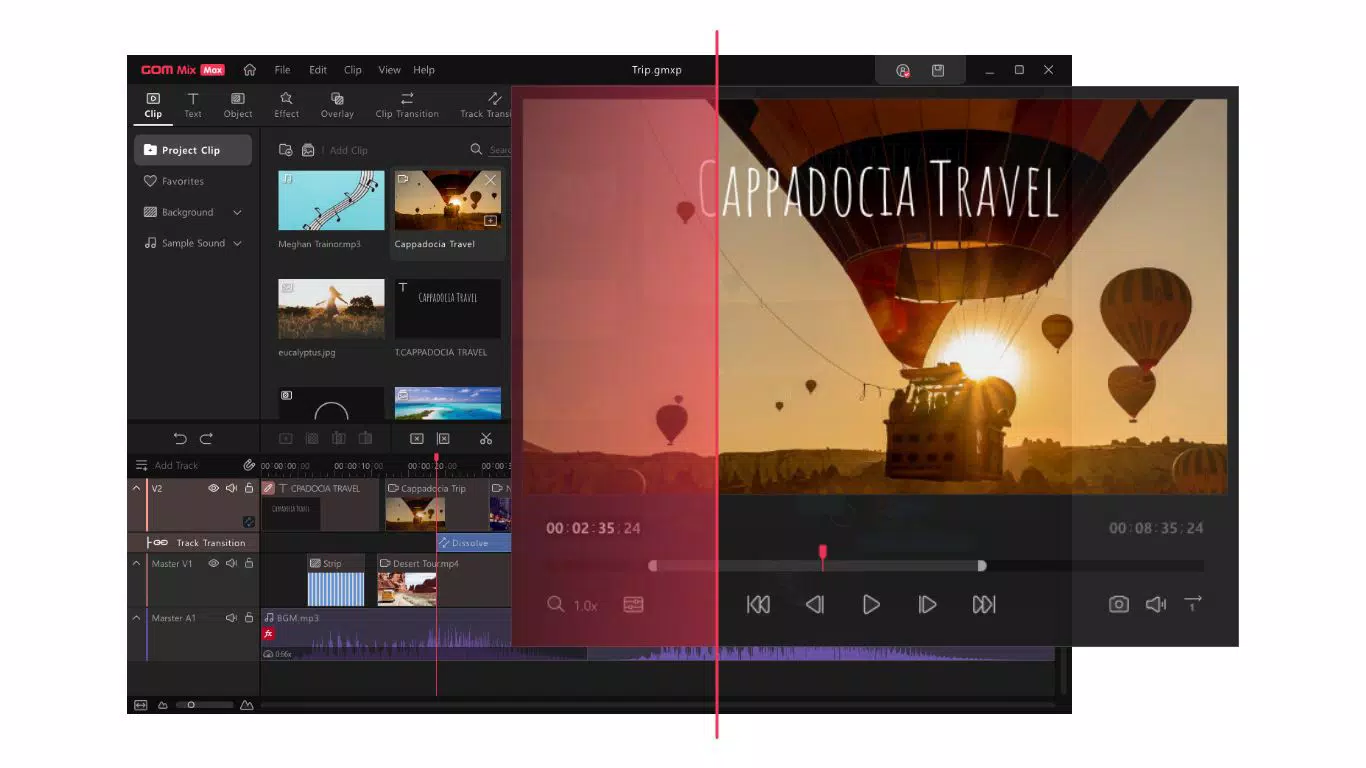
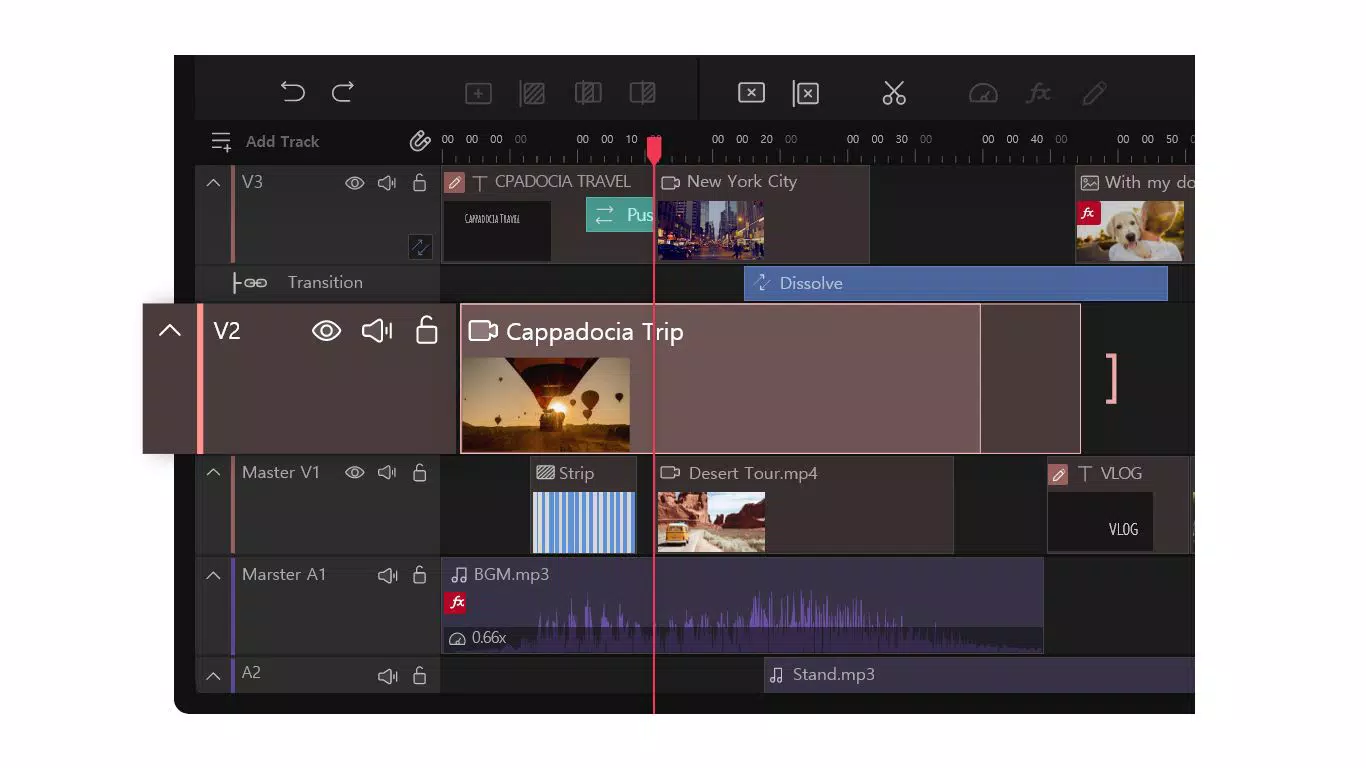
- Multi-Track Editing: Allows users to layer multiple video and audio tracks, enabling precise synchronization and complex scene composition. Ideal for mixing background music, voiceovers, and multiple video clips in a single timeline.
- Chroma Key Functionality: Enables seamless background replacement using green screen or blue screen techniques. This feature is essential for creating dynamic scenes, such as virtual studio setups or immersive storytelling.
- Lightweight Design: Engineered for efficiency, the app runs smoothly on systems with modest hardware specifications. This ensures consistent performance across a wide range of devices without requiring high-end configurations.
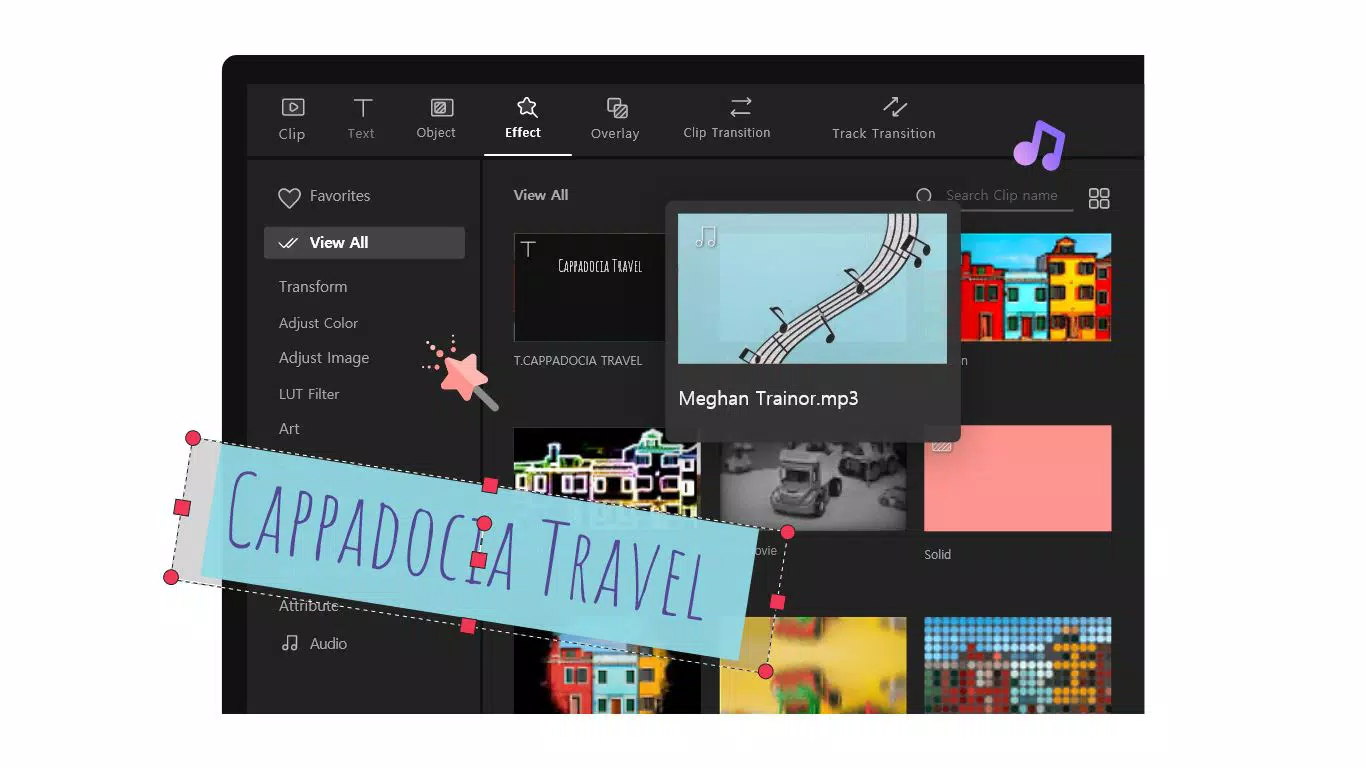
- 200 Preset Effects: Offers a diverse library of ready-to-use visual effects, including transitions, filters, and animations. Each effect can be customized to match the user’s creative vision, enhancing video quality with minimal effort.
- Regular Updates: The developer commits to ongoing improvements, including planned support for 4K resolution and new feature integrations. This ensures the software remains relevant and capable of handling evolving content demands.
For example, a YouTuber can use multi-track editing to overlay commentary over a gameplay clip while syncing background music. A teacher might use chroma keying to appear in front of a digital classroom backdrop. The 200 preset effects allow rapid visual enhancement, reducing editing time significantly. The lightweight nature ensures these features remain accessible to users on older or budget laptops, broadening the app’s usability.
Interface, UX & Performance
The user interface of GOM Mix Max follows a clean, organized layout optimized for productivity. The timeline is clearly structured, with intuitive drag-and-drop functionality for media assets. Navigation between tools and panels is responsive, minimizing workflow interruptions. Visual feedback during editing—such as real-time previews and effect application indicators—enhances user confidence and precision.
Although the developer did not list formal performance metrics, the app’s lightweight design suggests optimized resource usage. It is engineered to maintain stability during extended editing sessions, even when handling multiple layers and effects. Responsiveness across different screen sizes and resolutions appears consistent, though specific compatibility details were not disclosed. The app does not exhibit visible lag during basic operations such as trimming, splitting, or applying effects. Stability is maintained during typical use, with no reported crashes in the provided information.
Users can expect a smooth experience on mid-range and lower-spec Windows systems, though performance may vary depending on hardware. The developer did not specify exact requirements, so users should test the app on their devices to confirm suitability. Overall, the UX prioritizes efficiency and clarity, making it accessible to both new and experienced editors.
Platform Compatibility & Technical Requirements
GOM Mix Max is available exclusively for the Windows platform. The current version is 2.0.0.1201, with a file size of 250 MB. This relatively compact footprint contributes to quick installation and minimal storage impact. The app is designed to operate on Windows operating systems, though specific version requirements were not listed by the developer.
Compatibility information was not fully disclosed, so users should verify whether their system meets the necessary prerequisites. The developer did not specify minimum OS versions or hardware specifications. However, the app’s lightweight design suggests broad compatibility with modern Windows environments, including Windows 10 and Windows 11. It is recommended to check official channels for the latest compatibility updates before installation.
Pros and Cons
- Free to download and use, removing cost barriers for creators
- Lightweight design ensures smooth performance on low-spec systems
- Comprehensive feature set including multi-track editing and chroma keying
- Over 200 preset effects for rapid visual enhancement
- Regular updates promise ongoing improvements and new capabilities
- Specific system requirements were not disclosed by the developer
- Platform availability is limited to Windows only
- No information provided on cloud sync or collaboration features
- Support for high-resolution formats like 4K is planned but not yet confirmed
- Mobile or cross-platform versions are not currently available
FAQ
Is GOM Mix Max free to use?
Yes, GOM Mix Max is available at no cost. There are no subscription fees or in-app purchases required to access its core features.
Can I use GOM Mix Max on older Windows systems?
The developer did not specify minimum OS requirements. However, the lightweight design suggests it may function on older Windows systems, though compatibility is not guaranteed.
Does GOM Mix Max support 4K video editing?
Support for 4K resolution is planned in future updates, but it is not currently confirmed in the released version.
Is there a mobile version of GOM Mix Max?
Currently, GOM Mix Max is only available for Windows. There are no mobile or iOS versions available at this time.
How often are updates released?
GOM & Company commits to regular updates, including major feature enhancements and performance improvements. The frequency of updates is not specified.
Final Thoughts
GOM Mix Max stands out as a compelling option for creators seeking powerful video editing tools without the high cost or hardware demands. Its combination of multi-track editing, chroma keying, and a rich effect library makes it a versatile choice for a wide range of projects. The lightweight design ensures accessibility across diverse hardware, while the promise of regular updates signals long-term viability. Although platform limitations and missing technical details exist, the app delivers strong value for its target audience.
Content creators, educators, and independent filmmakers who work on Windows systems will benefit most from its feature-rich environment and free access. For those looking to elevate their video content without investing in expensive software, GOM Mix Max offers a smart, practical solution. The app’s focus on performance, usability, and continuous improvement positions it as a reliable tool in the modern digital creator’s toolkit.
Download GOM Mix Max now


